
The best AI for legal documents does more than spit out a fill-in-the-blank form. It helps you draft the substance, write it in your firm's house style, assemble a contract from a clause library, keep defined terms and formatting consistent across a long document, and turn a rough draft into a finished, properly structured file. That is the difference between a quick generator and a real assembly workflow, and it decides whether AI saves you an hour or just hands you something to reformat.
This guide is for lawyers and paralegals who produce polished, professional documents: contracts, agreements, memos, and letters that hold up to a partner's read and a client's scrutiny. The hard part was never producing words. It is producing the right structure, the right defined terms, clean formatting, consistent versions, and a document that reads like finished work. To draft the substance itself (briefs, motions, memos, contracts), see the best AI tools for legal drafting; to generate a finished document fast from a description or template, see the best AI legal document generators. This guide is about creating and assembling polished documents.
Below we compare the seven best AI tools for legal documents in 2026, covering who each is built for, what it costs, what it does well, and where it falls short, so you can match the tool to how you draft, write, create, and review your work.
Draft a contract from a plain-English prompt
Describe the deal and LegesGPT drafts a complete, clause-by-clause contract you can refine in seconds and export ready to sign.
Draft a contractBest AI for legal documents: a brief overview
Here is the short version before the deep dive. Each tool earns a different spot, so match the label to how you create documents.
- LegesGPT: Best overall AI for legal documents: draft and assemble any document from a prompt, start from 100+ attorney-drafted templates, and run built-in review on the finished file, all in one subscription.
- Claude: Best for structuring long, complex documents: a large context window that keeps headings, defined terms, and cross-references consistent across many pages.
- ChatGPT: Best general AI for generating document sections to assemble: fast clauses, recitals, and paragraphs you slot into a larger file on an affordable plan.
- Microsoft Copilot: Best for formatting and styling documents in Word: reformat, restyle, and clean up a file to match your template without leaving Word.
- Google Gemini: Best for assembling documents in Google Workspace: pull content together and format it inside Google Docs.
- Spellbook: Best for clause libraries and clause consistency in Word: pull from playbooks and keep contract language consistent across a document.
- Gavel: Best for automating repeatable document assembly: turn your own templates into guided questionnaires that output finished, formatted documents at scale.
| Tool | Best for | Starting price | Free trial | Platform |
|---|---|---|---|---|
| LegesGPT | All-in-one assembly, templates, and review | From $19.99/mo | 3-day, $1 | Browser app |
| Claude | Structuring long, complex documents | $20/mo (Pro) | Free tier | Web, desktop, mobile |
| ChatGPT | Generating sections to assemble | $20/mo (Plus) | Free tier | Web, desktop, mobile |
| Microsoft Copilot | Formatting and styling in Word | ~$30/user/mo add-on | M365 trial | Microsoft 365 apps |
| Google Gemini | Assembling documents in Google Docs | $14/user/mo (Business Standard) | 14-day Workspace trial | Google Workspace |
| Spellbook | Clause libraries and clause consistency in Word | Custom (quote) | 7-day | Word add-in |
| Gavel | Automating repeatable document assembly | $83/mo (Lite) | 7-day | Browser app, Word |
1. LegesGPT, best overall AI for legal documents
LegesGPT is an AI legal assistant built around the full creation workflow: you describe the document you need, and it assembles a contract, agreement, memo, or letter you can refine in plain conversation. Start from a blank prompt or from one of 100+ attorney-drafted templates, then shape the finished file the way you would direct a junior associate: tighten this clause, add an indemnity, switch the governing law, align the defined terms, make the formatting match. It runs as a browser app with no add-in or IT setup.
What sets it apart for document creation is that assembly and review live in the same place. Once you have a draft, LegesGPT reviews the finished document for risky or missing clauses and explains in plain language why something is worth a second look, so the polish step does not mean opening a second tool. You can also generate routine paperwork with its AI legal document generator, pull from free legal templates, and assemble bespoke deals with AI contract drafting, all in one subscription. If your needs are mostly quick, standardized forms, our guide on how to generate documents with AI covers that lighter workflow.
Key features
- AI assembly of contracts, agreements, memos, and letters from a prompt or template
- 100+ attorney-drafted templates spanning agreements, filings, and forms like an NDA, power of attorney, or affidavit
- Built-in AI document review (PDF, DOCX, images) that flags risky clauses and proposes edits on the finished file
- Case law and statute search with verifiable citations to support the language you assemble
- Deep Research mode for multi-step questions while you build out a complex document
- E-signature and a free contract generator in the same workspace
Best for
- Solo practitioners and 2-50 attorney firms who want assembly, templates, and review in one place
- Paralegals producing polished first versions of routine documents at speed
- In-house counsel who need bespoke contracts plus a fast quality check on the finished file without an enterprise contract
Pricing
- 3-day trial for $1, no permanently free plan
- Basic at $19.99/mo: AI assembly, case law and statute search, templates, citation verification
- Plus at $49.99/mo: adds document upload and review
- Premium at $99.99/mo: adds unlimited document review, Deep Research, and web search
- Around 30% off with annual billing
Pros
- True all-in-one: assemble, template, review, and sign without switching tools
- 100+ attorney-drafted templates give every document a professional starting structure
- Transparent self-serve pricing with no sales cycle or seat minimum
- Browser-based, so there is nothing to install and no Word add-in to manage
Cons
- Web-only: no native mobile app, public API, or Word add-in, so heavy Word users assemble in the browser and paste back
2. Claude, best for structuring long, complex documents
Claude, by Anthropic, is a general-purpose AI assistant that excels at long-form work. For legal document creation, its strength is holding structure across many pages: a long memo, a multi-section agreement, or a detailed file keeps its headings, defined terms, numbering, and cross-references consistent from first page to last. You can paste in source material, exhibits, or prior versions and ask Claude to restructure, reorganize, or reformat around them, and Projects keeps related documents and style instructions together across sessions.
Claude is not a legal-specific platform: no case law database, no attorney-drafted templates, no citation verification. Treat it as an exceptional partner for structuring and formatting the document itself, then verify legal substance separately. For lawyers assembling long, multi-section files in a chat interface, it is hard to beat on keeping a large document coherent.
Key features
- Large context window for restructuring and reformatting long documents in one pass
- Strong control over headings, defined terms, and house style across many pages
- Projects to organize related documents, style instructions, and chats
- File creation and editing, plus web search on paid tiers
Best for
- Lawyers assembling long memos, multi-section agreements, or document sets that must stay internally consistent
- Anyone who wants top-tier structuring and formatting and verifies legal substance themselves
Pricing
- Free tier with basic access
- Pro at $20/mo ($17/mo billed annually): higher limits, Projects, Research
- Max from $100/mo: 5x or 20x usage for heavy document work
- Team from $20/seat/mo (annual) with admin controls and no training on your content
Pros
- Best-in-class at keeping long, complex documents consistent and well structured
- Projects keep document context and style rules together across sessions
- Affordable entry point at $20/mo, with a Team plan suitable for professional use
Cons
- No legal-specific content: no case law, statutes, templates, or citation checks
- You must verify all legal substance yourself before relying on the document
- Review consumer-tier data handling before sharing client information
3. ChatGPT, best general AI for generating document sections to assemble
ChatGPT, by OpenAI, is the most widely used general-purpose AI assistant, and for legal document creation its strength is producing sections you can assemble. Describe the recital, clause, paragraph, or letter block you need and it returns usable text in seconds, then reshapes, condenses, or restyles it as fast as you can ask, so you build the finished document piece by piece. The April 2026 release of GPT-5.5, now the default model on Plus and above, sharpened its instruction-following and structure, so the sections it returns slot more cleanly into a multi-part file than earlier versions did.
ChatGPT is not a legal platform: no case law database, no attorney-drafted templates, no citation verification. It is the fast, flexible section-builder most lawyers already have a login for, so it suits generating and reshaping the components you assemble, with the legal substance verified separately.
Key features
- Fast generation of recitals, clauses, paragraphs, and letter blocks from a short prompt
- GPT-5.5 default on paid tiers for cleaner sections that fit into a larger document
- Quick rewrites, restyling, and summaries in a conversational interface
- File uploads, web search, and custom GPTs on paid plans
Best for
- Lawyers who want to generate sections to assemble from a tool they already use
- Anyone who values speed and flexibility and verifies legal substance themselves
Pricing
- Free tier with access to a capable default model
- Plus at $20/mo: GPT-5.5, higher limits, file uploads, and web search
- Pro at $200/mo (a $100 Pro tier is also offered): highest limits and GPT-5.5 Pro
- Business (Team) from $20/seat/mo annual ($25 monthly) with admin controls and no training on your content
Pros
- Fast, fluent generation of the sections and blocks you assemble into a document
- Affordable entry point at $20/mo, with a free tier to test it first
- Familiar interface most lawyers and staff already know
Cons
- No legal-specific content: no case law, statutes, templates, or citation checks
- You must verify all legal substance yourself before relying on the document
- Review consumer-tier data handling before sharing client information
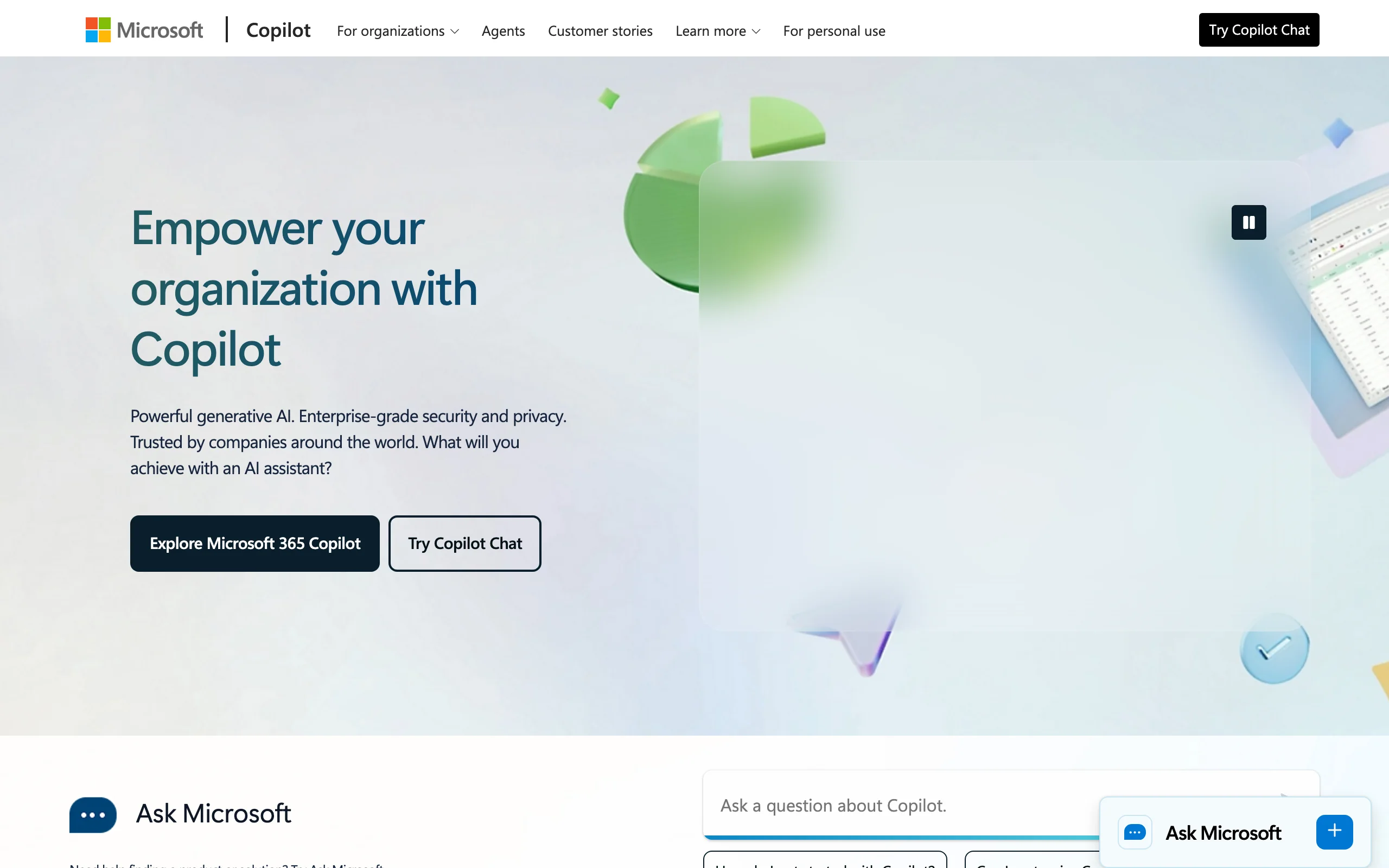
4. Microsoft Copilot, best for formatting and styling documents in Word
Microsoft 365 Copilot brings generative AI directly into Word, Outlook, and the rest of Office. For document creation, its sweet spot is formatting and styling: reformat a file to match your template, apply consistent heading styles, clean up spacing and numbering, and restyle a paragraph into a more formal register without leaving the document. Ask Copilot to bring a contract into your house format or tidy the structure of a long file, and it works inside the live document with your existing styles and track changes.
The appeal is zero context switching: most legal documents end up in Word anyway, so polishing and formatting them where they live keeps everything intact. Copilot is a general assistant, not a legal tool, with no clause library, legal review, or citations, and it sits on top of a paid Microsoft 365 subscription, so budget for both the base license and the add-on.
Key features
- Formatting and restyling directly inside Word with your existing styles
- Summarize long documents and turn notes into structured, formatted drafts
- Reformatting and clean-up that respects Word formatting and track changes
- Enterprise data handling within the Microsoft 365 tenant
Best for
- Firms and teams already standardized on Microsoft Word and Office
- Lawyers who want to format and polish documents without leaving Word
Pricing
- Microsoft 365 Copilot is about $30/user/month, billed annually, as an add-on
- Requires an eligible paid Microsoft 365 base plan, so total cost is higher than the add-on alone
- Business pricing has run around $18-21/user/month under promotional terms
Pros
- Formats and styles documents inside Word, where most legal files already live
- No copy-paste between a chatbot and your document
- Familiar interface with almost no learning curve
Cons
- No legal-specific features: no clause library, legal review, or citations
- Requires a paid Microsoft 365 base license on top of the Copilot add-on
- General formatting help, not tuned for legal structure or risk, so it needs careful review
5. Google Gemini, best for assembling documents in Google Workspace
Google Gemini is Google's AI assistant, now built into Google Workspace, so the in-document help Copilot brings to Word, Gemini brings to Google Docs. Ask it to pull content together, reformat a section, adjust the structure, or summarize a long file from the Docs sidebar, and gather context from Gmail and Drive without leaving your tab. For teams that run on Google Workspace, it is the natural way to assemble and format documents in the tools they already use.
As of 2026 Gemini comes bundled into paid Workspace plans rather than as a separate add-on, which makes it cost-effective if you are already a Workspace customer. Like Copilot, it is a general assistant with no legal content, clause library, or citation checking, so it is best for the assembly and formatting, with legal substance verified elsewhere.
Key features
- Assemble, reformat, and summarize directly inside Google Docs
- Pulls context from Gmail and Drive to bring content together faster
- Tone, length, and structure adjustments from the Docs sidebar
- Bundled into paid Workspace plans with enterprise data handling
Best for
- Lawyers and teams who run their practice on Google Workspace
- Solos and small firms who want AI assembly included in a tool they already pay for
Pricing
- Bundled into paid Google Workspace plans (no separate Gemini add-on in 2026)
- Business Starter around $8.40/user/mo, Business Standard $14/user/mo (annual), Business Plus around $26.40/user/mo
- Standard and above include Gemini across Docs, Gmail, and more
Pros
- Assembles and formats documents inside Google Docs, no tool switching
- Included in Workspace plans, so no extra AI line item for existing customers
- Familiar Docs interface with a gentle learning curve
Cons
- No legal-specific features: no clause library, legal review, or citations
- Only useful if your documents live in Google Docs, not Word
- General assistant, so legal structure and risk need separate review
6. Spellbook, best for clause libraries and clause consistency in Word
Spellbook is a purpose-built AI tool for transactional lawyers that runs as a Microsoft Word add-in. Where general assistants help with any document, Spellbook is tuned for contracts: it pulls language from clause libraries and playbooks, suggests standard wording, benchmarks terms against common contract types, and keeps clauses consistent across a document, all inside Word. For lawyers assembling agreements from reusable, approved language, it fits the existing workflow rather than forcing a new one.
That focus is both its strength and its limit. It is excellent at assembling and standardizing contract language from a clause library, but it is not a general research tool, a litigation drafter, or a template library for non-contract documents. Pricing is custom and quote-based, so you book a demo to get a number.

Key features
- Clause-library and playbook language inserted and standardized inside Word
- Consistency checks that keep clauses aligned across a contract
- Benchmarking of terms across common contract types
- Multi-document review for related agreements
- Enterprise security including SOC 2 Type II, GDPR, and CCPA compliance
Best for
- Transactional lawyers and in-house counsel who assemble contracts from reusable language daily
- Teams that want clause libraries and clause consistency without leaving Word
Pricing
- Custom, quote-based pricing determined by team size (book a demo)
- 7-day free trial available
- Third-party estimates put per-seat pricing in the roughly $100-350/user/month range, unconfirmed by Spellbook
Pros
- Built specifically for assembling contracts from clause libraries, not general writing
- Works inside Word, the tool most transactional lawyers already use
- Playbook-driven language keeps contracts consistent with your standards
Cons
- Focused on contracts: not useful for pleadings, memos, research, or non-contract templates
- No published pricing; a sales conversation is required
- Requires Microsoft Word, so it does not help teams on other platforms
7. Gavel, best for automating repeatable document assembly
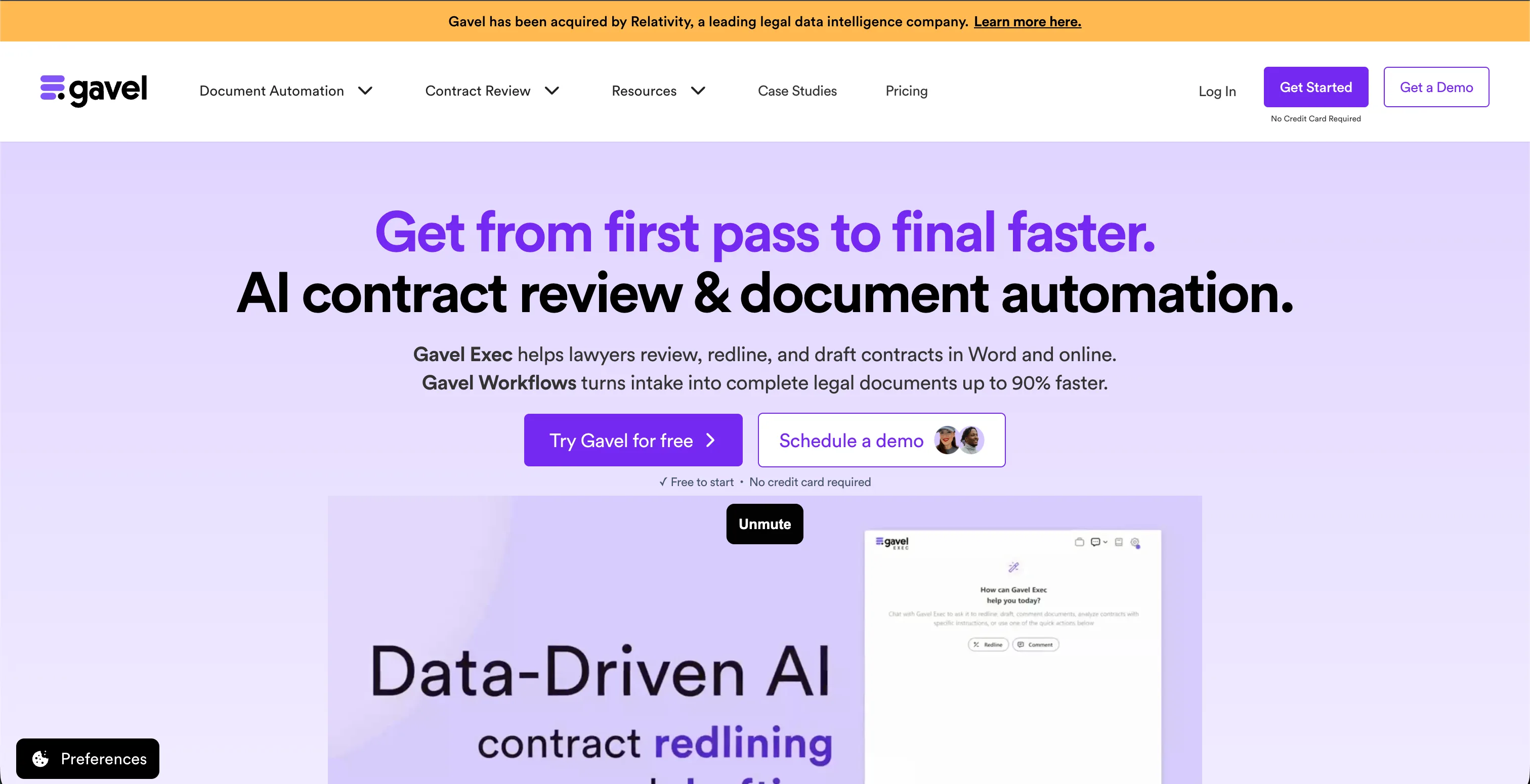
Gavel (formerly Documate) is a legal document automation platform built for turning the documents you already use into repeatable assembly workflows. Instead of building each document by hand, you upload a template, map its variable fields, and Gavel produces a guided questionnaire that outputs a finished, formatted document from the answers. That makes it a strong fit for high-volume, standardized work: intake forms, retainer agreements, and routine filings a team produces again and again. It pairs the rules-based Gavel Workflows builder with Gavel Exec, a Word-based AI assistant for contract review and assembly, and runs both in the browser and inside Microsoft Word.
In June 2026 Gavel was acquired by Relativity, which plans to keep Gavel running as usual while folding its capabilities into its wider legal data platform over time. The automation focus is the differentiator and the limit: Gavel shines when you are systematizing the assembly of documents you produce repeatedly, less so for one-off bespoke work, and the builder takes setup time before it pays off.
Key features
- Document automation that turns templates into guided questionnaires
- Rules-based Gavel Workflows plus AI-assisted field mapping
- Gavel Exec, a Word-based AI assistant for contract review and assembly
- Client-facing intake forms, e-signature, and payment collection on higher tiers
- Integrations including Clio, Zapier, and DocuSign
Best for
- Firms and legal teams automating high-volume, standardized document assembly
- Practices that want client intake and document output in one workflow
Pricing
- 7-day free trial on all plans, no credit card required
- Lite at $83/mo: 1 builder seat, 10 workflows, Clio integration
- Standard at $165/mo: more seats and workflows, Zapier integration
- Pro at $290/mo: legal template library, DocuSign, custom domain
- Scale from $417/mo (annual): unlimited workflows, API access, SSO
- Two months free on annual billing
Pros
- Purpose-built for repeatable document assembly at scale
- Outputs finished, formatted documents from a simple questionnaire
- Works in the browser and inside Word, with Gavel Exec for AI review
Cons
- Setup-heavy: building workflows takes time before it pays off
- Better for standardized volume than one-off bespoke documents
- Recently acquired by Relativity, so the long-term roadmap may shift
Best AI for drafting, writing, creating, and reviewing legal documents
Readers rarely need every job at once, so here is the same shortlist sorted by the task in front of you.
Best AI for drafting legal documents
Drafting means producing the substance: the clauses, the reasoning, the language that carries legal weight. LegesGPT is the best AI for drafting legal documents when the draft has to stand on real law, because it drafts contracts, agreements, memos, and letters and backs any legal position with verified citations you can click through. Claude is the strongest general model for long, argument-heavy drafts. If you draft briefs, motions, and pleadings across litigation as well as transactional work, our roundup of the best AI tools for legal drafting goes deeper on that substance-first workflow.
Best AI for writing legal documents
Writing is about voice and clarity: plain-language recitals, client letters, and memos that read cleanly. ChatGPT is the fastest way to get readable paragraphs onto the page, Claude keeps tone and structure consistent over many pages, and Microsoft Copilot rewrites inside the Word file you already have open. LegesGPT covers the same writing tasks and adds legal templates, which matters when the document has to follow a recognized form rather than just read well.
Best AI tools for creating legal documents
Creating a finished document means assembly: pulling clauses together, matching a template, and producing a file that is ready to send. Gavel is the pick when you create the same documents repeatedly and want a questionnaire that outputs them at scale. Spellbook keeps contract clauses consistent inside Word. LegesGPT is the best all-round choice for one-off creation, because you can start from one of 100+ attorney-drafted templates or a blank prompt, and the AI legal document generator turns a short description into a complete document in minutes.
Best AI tools for reviewing legal documents
Reviewing is the step most creation tools skip. Copilot, Gemini, ChatGPT, and Claude can summarize a document and answer questions about it, but they do not flag missing or risky clauses against legal norms. LegesGPT does: upload a PDF or DOCX and its AI document review identifies risks, explains why each clause matters, and proposes changes on the finished file. Gavel Exec adds Word-based review on documents you automated with Gavel. For a dedicated comparison of review tools, see the best AI contract review software.
How to choose the best AI for legal documents
The best AI for legal documents depends on where you assemble documents, how custom the work is, and how much review you need built in. Use these criteria to narrow it down.
100+ attorney-drafted legal templates
Browse free, ready-to-edit templates — NDAs, leases, employment contracts, wills, and more — built by attorneys and customizable in minutes.
Browse free templatesWhere do you assemble your documents?
The first filter is your editor. If documents live in Microsoft Word, Copilot (formatting), Spellbook (clause libraries), or Gavel Exec keep you in the file. On Google Workspace, Gemini does the same inside Docs. If you prefer a dedicated workspace and paste finished documents back into Word or Docs, LegesGPT, Claude, or ChatGPT fit.
- If you assemble in Microsoft Word: Microsoft Copilot, or Spellbook for contract clauses
- If you assemble in Google Docs: Google Gemini
- If you assemble in a dedicated workspace: LegesGPT, Claude, or ChatGPT
How custom and high-stakes is the work?
Routine paperwork is fast work for a template-driven generator or an automation workflow. Bespoke, high-stakes documents reward a tool that can structure and review the finished file. LegesGPT covers both, Claude leads on structuring long files, ChatGPT is the quickest for generating sections, Gavel automates the assembly of documents you produce again and again, and Spellbook is purpose-built for contract clauses. For fast, standardized agreements, an AI contract maker handles the routine end of the spectrum.
- For routine forms plus custom assembly in one place: LegesGPT
- For structuring long, complex documents: Claude
- For generating sections to assemble: ChatGPT or LegesGPT
- For automating high-volume, repeatable assembly: Gavel
- For contract clauses specifically: Spellbook or LegesGPT
Do you need assembly and review in the same tool?
Creating a document is half the job; the other half is making it clean and defensible. Copilot and Gemini format well but leave the contract review to you. LegesGPT pairs assembly with built-in review that flags risky clauses on the finished file, and Gavel Exec adds Word-based review on automated documents.
- If you want assembly plus review in one subscription: LegesGPT
- If you want Word-based AI review on automated documents: Gavel Exec
- If you will review separately: Claude, ChatGPT, Copilot, or Gemini
What is your budget?
If you already pay for Microsoft 365 or Google Workspace, Copilot or Gemini add assembly for a modest incremental cost. ChatGPT Plus and Claude Pro at $20/mo are the cheapest standalone general assistants. LegesGPT starts at $19.99/mo and bundles templates and review. Gavel starts at $83/mo for automation, while Spellbook sits at the premium end for specialized contract work.
- Lowest incremental cost: Gemini or Copilot if you already use the suite
- Cheapest standalone general assistant: ChatGPT or Claude at $20/mo
- Best value legal-specific all-in-one: LegesGPT
- Premium specialized: Gavel (automation) or Spellbook (contract clauses)
Frequently Asked Questions
What is the best AI for legal documents?
For end-to-end work on legal documents, LegesGPT is the strongest all-in-one pick because it drafts and assembles documents from a prompt, gives you 100+ attorney-drafted templates, and reviews the finished file for risky clauses in one place. Claude is best for structuring long, complex documents, ChatGPT for generating sections to assemble, Microsoft Copilot for formatting and styling inside Word, Google Gemini for assembling in Google Docs, and Spellbook for clause libraries and clause consistency in Word. The right pick depends on where you assemble documents and how much formatting and review you need.
Can AI create a legal document from scratch?
Yes. Modern AI tools can assemble a full first version of a contract, agreement, memo, or letter from a short prompt, then refine the structure, formatting, and defined terms as you ask for changes. The output is a strong starting point, not a finished filing, so a qualified person should review the structure, defined terms, and governing law before it goes out. Tools that pair assembly with built-in review, like LegesGPT, shorten that final check.
What is the difference between an AI document generator and an AI document creation tool?
A generator fills a fixed template with your details and returns a standard document quickly, which is ideal for routine paperwork. A document creation tool helps you assemble and shape a polished file: pulling clauses together, matching a house style, keeping defined terms consistent, and formatting across long documents. Many lawyers use both, a generator for routine forms and a creation tool for custom or high-stakes assembly.
Can AI assemble documents inside Microsoft Word or Google Docs?
Yes. Microsoft Copilot formats and restyles directly inside Word, and Google Gemini assembles and reformats inside Google Docs, so you never leave your document. Spellbook adds clause-library assembly and consistency as a Word add-in. LegesGPT runs as a browser app, so you assemble there and paste the result into Word or Docs, which avoids any add-in or IT setup.
Is it safe to use AI to create legal documents?
Used carefully, yes. Treat AI output as a fast first version, verify any cited law or clause language, and confirm the document matches your jurisdiction before relying on it. Avoid pasting privileged client data into consumer tools that may train on your inputs, and check your bar association's current guidance, since rules on AI use are still evolving.
What is the best AI for drafting legal documents?
LegesGPT is the best AI for drafting legal documents when the draft has to rest on real law, because it drafts contracts, memos, and letters and supports any legal position with verified citations and source links. Claude is the strongest general model for long, reasoning-heavy drafts, and ChatGPT is the quickest for a rough first pass. General chatbots can invent citations, so verify any authority they produce before it goes into a filing.
What are the best AI tools for reviewing legal documents?
LegesGPT reviews uploaded PDFs and DOCX files to flag risky or missing clauses, explain why they matter, and propose changes, which makes it the best pick if you want creation and review in one subscription. Gavel Exec adds Word-based review on documents produced through Gavel workflows. General assistants like ChatGPT, Claude, Copilot, and Gemini can summarize a document and answer questions about it, but they do not check clauses against legal norms.
How much do AI legal document creation tools cost?
Pricing ranges widely. LegesGPT starts at $19.99 per month with a 3-day trial for $1. Claude Pro is $20 per month, ChatGPT Plus is $20 per month, Microsoft 365 Copilot is about $30 per user per month on top of a base Microsoft 365 license, and Google Workspace Business Standard is $14 per user per month with Gemini included. Spellbook is custom quote-based, and Gavel starts at $83 per month.
Which AI tool is best for structuring long or complex documents?
Claude structures long, complex documents well because of its large context window, which keeps headings, defined terms, and cross-references consistent over many pages of memos, multi-section agreements, and document sets. LegesGPT is the better fit when you want that structuring paired with legal templates and built-in document review in one subscription. For formatting inside Word specifically, Microsoft Copilot keeps everything in your existing file.
Where should I start if I want one tool for assembly, templates, and review?
LegesGPT is the simplest place to start. It assembles contracts, agreements, memos, and letters from a prompt, gives you 100+ attorney-drafted templates, and reviews the finished file for risky clauses, all in one browser-based subscription. You can try it on a 3-day trial for $1 and run your own documents through it first.