Ask ten lawyers which AI they use and you will hear ten answers, from ChatGPT on a personal account to a six-figure Harvey contract. The best AI for legal work is not the smartest model on a benchmark. It is the tool that gives you an answer you can verify, keeps client information out of a training set, and fits the way you actually draft, review, and research.
That distinction has teeth. A public database of court decisions involving AI-hallucinated citations passed 2,000 entries in September 2026, more than 800 of them involving lawyers, and courts in 2026 have started fining attorneys thousands of dollars per brief for citations that do not exist. The gap between "an AI that writes well" and "an AI built for legal work" is where those cases come from.
This guide compares nine tools across that gap: one purpose-built legal assistant, six general-purpose AI platforms lawyers already use, and the two enterprise systems large firms buy. For each you get pricing, the features that matter for legal work, an honest fit, and a framework for choosing.
Research, draft, and review in one place
LegesGPT speeds up case research, contract review, and drafting for practicing lawyers — every answer backed by citations you can verify.
Try AI for lawyersWhat "legal work" actually asks of an AI
Most legal AI comparisons rank tools on writing quality. That misses the point. Legal work breaks into four jobs, and each one stresses a different capability.
- Answering legal questions: the tool needs a legal database and citations you can click, not a web search and a confident tone.
- Reviewing documents: it needs to read a 90-page agreement in one pass, flag the clauses that hurt you, and tell you what to change.
- Drafting: it needs to produce a usable first version of a motion, contract, or letter, then take edits without losing the structure.
- Everything else: summarizing a deposition, drafting client emails, turning a call into a memo, prepping a hearing checklist.
Two rules cut across all four. First, grounding: an AI that answers from real law with verifiable citations is safe to start with, while one that answers from memory is not. Second, confidentiality: consumer AI plans often use your conversations for training unless you opt out, and ABA Formal Opinion 512 makes it your job to know which plan you are on before client information goes in.
The tools below are ranked with both rules in mind.
Best AI for legal work: a brief overview
- LegesGPT: Best overall AI for legal work: verified-citation answers, case law and statute search, document review that proposes fixes, AI drafting, and e-signature in one subscription from $19.99 a month.
- Claude: Best general-purpose AI for long documents and drafting: a 1M-token context window on paid plans and a Word add-in that edits with tracked changes.
- ChatGPT: Best all-round assistant with agentic research: Deep Research, agent mode, and the broadest ecosystem of connectors, from $8 a month.
- Google Gemini: Best for firms on Google Workspace: 1M-token context, Deep Research, and drafting inside Docs and Gmail with Workspace data protections.
- Gemini Notebook: Best for question-and-answer over a case file: source-grounded answers with inline citations to the documents you upload, free to start.
- Microsoft Copilot: Best for firms that live in Word and Outlook: Copilot in every Office app, Researcher and Analyst agents, and enterprise data protection under Microsoft's DPA.
- Perplexity: Best for cited web research on recent developments: a citation on every answer, Deep Research, and multi-model Model Council queries.
- CoCounsel Legal: Best for Westlaw-grounded agentic research at firms already paying Thomson Reuters: Deep Research reports with KeyCite flags and a Word drafting agent.
- Harvey: Best for BigLaw and enterprise legal departments: document vaults, custom agents, and LexisNexis-grounded research at enterprise pricing.
| Tool | Best for | Starting price | Free trial | Legal database |
|---|---|---|---|---|
| LegesGPT | All-in-one legal work for solo and small firms | From $19.99/mo | 3-day, $1 | Yes, verified citations |
| Claude | Long documents and drafting | From $20/mo (Pro) | Free tier | No |
| ChatGPT | All-round assistant with agentic research | From $8/mo (Go) | Free tier | No |
| Google Gemini | Firms on Google Workspace | From $4.99/mo (AI Plus) | Free tier | No |
| Gemini Notebook | Q&A over a case file | Free; from $4.99/mo for higher limits | Free tier | No, your uploads only |
| Microsoft Copilot | Firms living in Word and Outlook | From $21/user/mo (Business add-on) | Copilot Chat with M365 | No |
| Perplexity | Cited web research | From $20/mo (Pro) | Free tier | No |
| CoCounsel Legal | Westlaw-grounded research | Custom (quote) | Demo; trial on Essentials | Yes, Westlaw |
| Harvey | BigLaw and enterprise teams | Custom (enterprise) | Demo only | Via LexisNexis |
1. LegesGPT, best overall AI for legal work
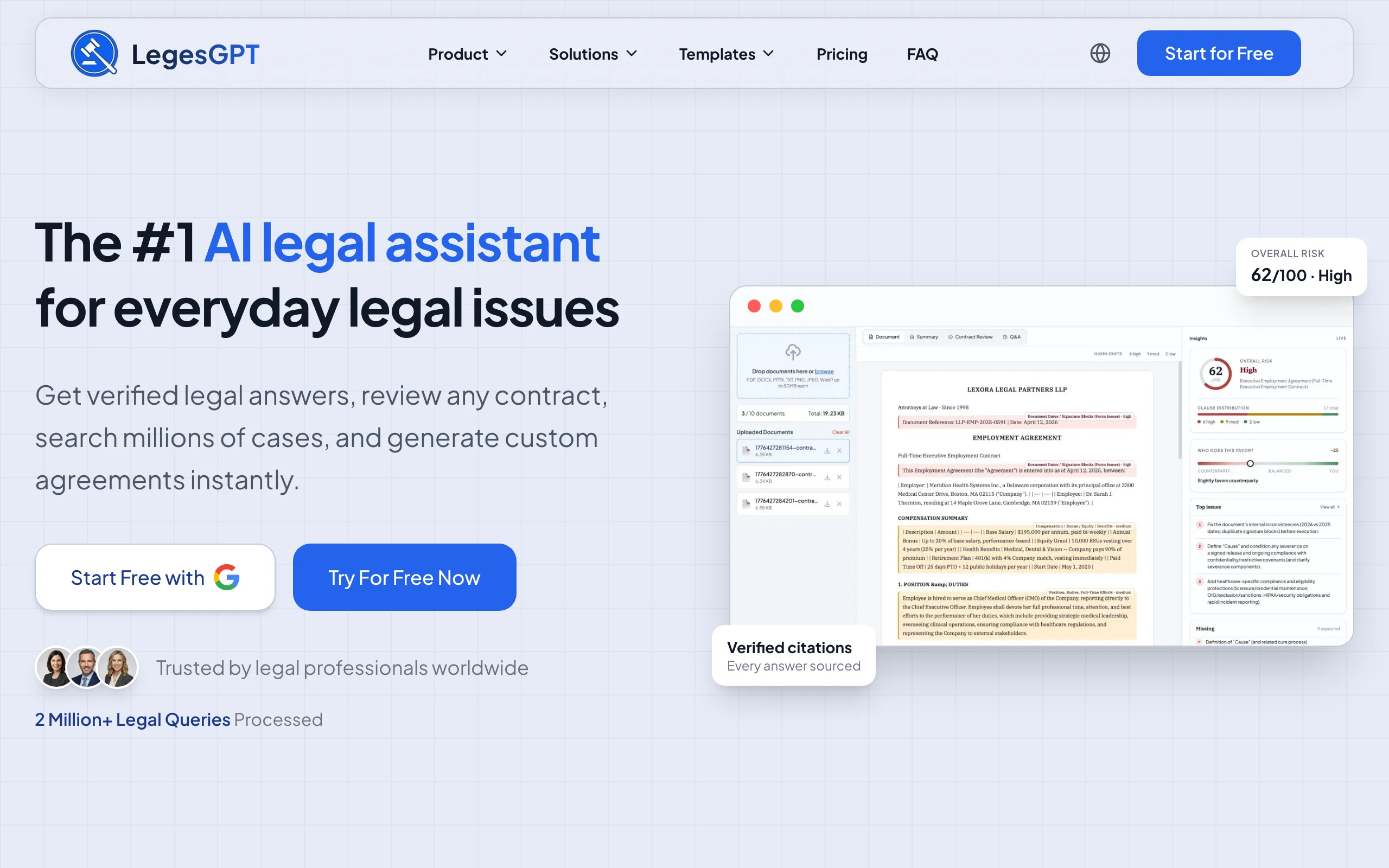
LegesGPT is the one tool on this list built around all four legal jobs at once. Ask it a question in plain English and it answers with the cases and statutes it relied on, each linked to the source so you can check it before it goes anywhere near a filing. Upload a contract, lease, or employment agreement and it reads the whole document, scores the risk, flags the clauses that favor the other side, and proposes the language to fix them. Then it drafts: agreements, letters, and motions from a prompt or from one of 100+ attorney-drafted templates, with e-signature to send the finished document.
What makes it the best AI for legal work rather than just a good legal chatbot is that these pieces share one workspace. You research the enforceability question, review the client's contract against the answer, draft the amendment, and send it for signature without pasting between four tools. It runs in any browser, there is no seat minimum, and a 3-day trial costs $1 instead of a discovery call.
Key features
- Legal questions answered with verified citations and direct links to the underlying cases and statutes
- Case law search with AI plus statute search, with Deep Research mode for layered, multi-step questions
- An AI document review tool for PDF, DOCX, PPTX, TXT, and image files that identifies risks, flags problem clauses, and proposes changes
- AI contract drafting and legal document generation from prompts or 100+ attorney-drafted templates
- E-signature to sign and send documents from the same workspace
- Web search for rulings and rule changes too recent for any database, plus free tools like a contract generator and a citation generator
Best for
- Solo practitioners and 2-50 attorney firms that want research, review, and drafting without three subscriptions
- In-house counsel and legal ops teams handling recurring contracts and multi-state questions
- Paralegals, law students, and business owners who need answers they can verify at a price they can justify
Pricing
- 3-day trial for $1; no permanently free plan
- Basic at $19.99/mo: unlimited AI queries, case law and statute search, citation verification
- Plus at $49.99/mo: adds document upload and 50 document reviews per month
- Premium at $99.99/mo: adds unlimited document review, Deep Research, and web search
- Around 30% off with annual billing
Pros
- Every answer is grounded in real law and verifiable in seconds, which is the safeguard general chatbots cannot offer
- Research, review, drafting, and signing in one subscription for less than a single Westlaw seat
- Self-serve: no sales cycle, no seat minimum, no annual lock-in
- Nothing to install
Cons
- Web-only: no native mobile app, public API, or Word add-in, so drafting happens in the browser and exports to Word
- No editorial headnotes or secondary treatises of the kind Westlaw and Lexis bundle
Get legal answers with verified citations
Ask any legal question and get a clear answer grounded in real sources — every citation links back to the statute or case it came from.
Ask a legal question2. Claude, best general-purpose AI for long documents and drafting
Claude, from Anthropic, is the general-purpose model many lawyers reach for when the job is a long document. On all paid plans the current models support a 1M-token context window, which means an entire deal room of agreements or a full deposition transcript fits in one conversation. Uploads take up to 20 files per chat at 500MB each, with PDFs up to 1,000 pages, and Projects give each matter its own knowledge base and chat history.
The 2026 change that matters most for legal work is Claude for Microsoft 365. The Word add-in edits with tracked changes, responds to comment threads, and applies your firm's styles, so a redline round-trip no longer means copying text out of a chat window. Claude has no legal database and will not verify a citation against a reporter, so it belongs on the drafting and analysis side of your workflow, with a grounded tool for the law itself. Our head-to-head on Claude vs ChatGPT for lawyers goes deeper on where each one wins.
Key features
- 1M-token context window on paid plans for whole-file and multi-document analysis
- Claude for Microsoft 365: Word, Excel, and PowerPoint add-ins, with tracked-changes editing in Word
- Projects with persistent knowledge bases per matter
- File uploads of up to 20 files per chat, 500MB each, PDFs to 1,000 pages
- Claude in Chrome for browsing and form-filling on Pro and above
Best for
- Lawyers who draft and revise long documents and want tracked changes inside Word
- Firms that need one general assistant for memos, summaries, and analysis alongside a legal research tool
- Teams that want commercial data terms at a per-seat price
Pricing
- Free tier available; Pro at $20/mo, or about $17/mo billed annually
- Max at $100/mo (5x Pro usage) or $200/mo (20x Pro usage)
- Team from $20 per seat per month on annual billing (standard seat), Premium seats $100; Enterprise adds SCIM, audit logs, and custom retention
Pros
- The strongest long-document handling of any general-purpose tool on this list
- Tracked-changes Word integration is a real drafting workflow, not a chat sidebar
- Commercial plans (Team, Enterprise) are excluded from consumer training terms
Cons
- No legal database or citator: every authority it cites must be verified elsewhere
- Consumer plans (Free, Pro, Max) ask you to choose whether chats train the model, and opting in extends retention to five years, so client work belongs on a commercial plan
- Usage is capped in multiples rather than unlimited
3. ChatGPT, best all-round assistant with agentic research
ChatGPT is the AI most lawyers already have an account for, and OpenAI has spent 2026 making it more useful for research-shaped work. Deep Research plans a multi-step investigation, browses, and returns a cited report; agent mode adds a visual browser that can complete tasks across sites. The GPT-5.5 Instant default model shipped in May 2026 with a stated focus on reducing hallucination in law, medicine, and finance, and the GPT-5.6 family followed in July.
Its ceiling for legal work is the same as every general model: no legal database and no citator. A cited Deep Research report is grounded in web pages, not reporters, and the 2024 Stanford benchmark found general-purpose GPT-4 hallucinated on 58% to 82% of legal queries. Treat ChatGPT as the fast, capable generalist for summaries, first drafts, and client-facing writing, and keep it off anything that needs a citation you have not checked.
Key features
- Deep Research with plan-then-browse reports: a limited allowance on Free and Go, expanded on Plus, and the maximum on Pro
- Agent mode with a visual browser for multi-step tasks
- Projects, memory, file upload, and connectors to your documents and apps
- Business and Enterprise plans that do not train on your inputs by default, with SOC 2 and encryption at rest
Best for
- Firms that want one familiar assistant for drafting, summarizing, and correspondence
- Solo lawyers on a budget who need a capable generalist for under $10 a month
- Teams already on ChatGPT Business that want research reports without a new vendor
Pricing
- Free tier; Go at $8/mo; Plus at $20/mo
- Pro at $100/mo (5x Plus usage) or $200/mo (20x Plus usage); new sign-ups for the $200 tier were paused on September 10, 2026
- Business at $25 per user per month, or $20 on annual billing; Enterprise by quote
Pros
- The broadest feature set and integration ecosystem of any general assistant
- Deep Research is a genuine time-saver for background and regulatory context
- One of the cheapest paid entry points on this list, behind only Google AI Plus
Cons
- No legal database or citator, so citations remain the highest-risk output
- Consumer plans use conversations for training unless you turn it off in data controls
- Deep Research on Business workspaces is capped at 5 queries per rolling 24 hours
4. Google Gemini, best for firms on Google Workspace
Google Gemini makes the most sense when your firm already runs on Gmail, Docs, and Drive. The free tier already includes Deep Research; the Google AI Pro plan adds Gemini 3.1 Pro with a 1M-token context window, higher Deep Research limits, and Gemini inside Gmail and Docs, so a draft engagement letter or a summary of a 40-message client thread happens where the work already lives.
The confidentiality story depends on which door you enter through. Under a paid Google Workspace license, Google states that customer data is not used to train models without permission and that Gemini interactions stay within the organization, and Business Standard at $14 per user per month on annual billing includes Gemini in Docs and Gmail plus Gemini Notebook. The consumer Gemini app runs on different terms, so client work should sit on the Workspace side.
Key features
- Gemini 3.1 Pro with a 1M-token context window on AI Pro and AI Ultra
- Deep Research on every tier, with higher limits on paid plans
- Gemini in Gmail, Docs, and Meet: drafting, proofreading, and thread summaries in place
- Workspace data protections: no training on customer data without permission, interactions kept inside the organization
Best for
- Firms and legal departments standardized on Google Workspace
- Lawyers who draft mostly in Google Docs and want AI inside the editor
- Teams that want research and drafting bundled into a Workspace seat they already pay for
Pricing
- Free tier; Google AI Plus at $4.99/mo; Google AI Pro at $19.99/mo
- Google AI Ultra at $100/mo (5x Pro usage) or $200/mo (20x Pro usage)
- Gemini in Workspace included in paid plans: Business Standard at $14 per user per month and Business Plus at $22 on annual billing
Pros
- The best price-to-capability ratio for a Workspace firm, since Gemini is bundled into the seat
- 1M-token context matches Claude for long-document work
- Clear enterprise data commitments on Workspace licenses
Cons
- No legal database or citator
- Consumer app data handling differs from Workspace protections, which is easy to get wrong on a personal account
- Usage limits are compute-based and refresh in windows, so heavy days can hit the cap
5. Gemini Notebook, best for question-and-answer over a case file
Gemini Notebook, renamed from NotebookLM in July 2026, does one thing that matters enormously for legal work: it only answers from the sources you give it, and every answer carries inline citations back to those sources. Upload the pleadings, the contract, the deposition transcripts, and the client's emails, then ask "where does the landlord promise to repair the roof" and get the passage, not a guess. It also generates briefings, study guides, mind maps, and Audio Overviews from the same material.
That grounding is also its limit. Gemini Notebook knows nothing outside the notebook, so it is a tool for interrogating a matter file, not for finding the law. Pair it with a research tool, and keep an eye on the per-notebook caps: 50 sources and 50 queries a day on the free tier, 300 sources and 500 queries on Google AI Pro.
Key features
- Source-grounded answers with inline citations to the exact passage in your uploads
- Accepts PDFs, Google Docs and Slides, DOCX, TXT, CSV, PPTX, websites, YouTube, and audio
- Briefing docs, study guides, mind maps, and Audio Overviews generated from a matter file
- Included in Google Workspace Business Standard and above with Workspace data protections
Best for
- Litigators and paralegals who need fast, cited answers from a large document set
- Solo lawyers who want a free way to make a case file searchable by meaning
- Anyone preparing for a deposition or hearing from a stack of transcripts
Pricing
- Free tier: 100 notebooks, 50 sources per notebook, 50 chat queries a day
- Google AI Plus at $4.99/mo raises limits; Google AI Pro at $19.99/mo allows 300 sources per notebook and 500 queries a day
- Google AI Ultra and Workspace business plans go higher still
Pros
- The cleanest citation behavior of any general-purpose tool, because it cannot cite what you did not upload
- Free tier is generous enough for most single matters
- No training on your documents under Workspace terms
Cons
- No legal database: it cannot answer a legal question the file does not answer
- Source caps per notebook mean very large productions need splitting
- Consumer-tier notebooks sit outside Workspace data protections
6. Microsoft Copilot, best for firms that live in Word and Outlook
Microsoft Copilot (Microsoft renamed Microsoft 365 Copilot to Microsoft Copilot in 2026) is the AI for firms that never leave Office. It drafts and rewrites inside Word, summarizes and triages in Outlook, recaps meetings in Teams, and reaches across all of it through Copilot Chat. The Researcher agent combines a deep-research model with your emails, meetings, files, and the web; the Analyst agent handles data. Copilot Cowork, generally available in 2026, runs longer agentic tasks end to end.
Confidentiality is where Copilot earns its price. Prompts and responses on business plans are covered by Microsoft's Data Protection Addendum, are not used to train foundation models, and respect sensitivity labels, retention policies, and audit. Copilot Chat with enterprise data protection is included at no extra cost with Microsoft 365 business licenses, so a firm can start there before paying for the full add-on.
Key features
- Copilot in Word, Excel, PowerPoint, Outlook, and Teams, plus Copilot Notebooks
- Researcher and Analyst agents, with 100+ connectors to firm systems
- Copilot Cowork for agentic, multi-step tasks
- Enterprise data protection: DPA coverage, no training on your data, sensitivity labels and audit respected
Best for
- Firms of any size standardized on Microsoft 365 that draft in Word and manage matters by email
- Legal departments whose IT team already governs Microsoft data policies
- Teams that want AI inside existing tools rather than a new destination
Pricing
- Microsoft Copilot (enterprise add-on): $30 per user per month paid yearly, on top of a qualifying Microsoft 365 license
- Microsoft Copilot Business (up to 300 users): $21 per user per month paid yearly, with a promotional $18 rate through December 31, 2026
- Individuals: Microsoft 365 Premium at $19.99/mo; the old Copilot Pro plan is no longer sold
- Copilot Chat with enterprise data protection included with Microsoft 365 business plans
Pros
- The most complete enterprise data-protection posture of the general-purpose tools
- Drafting in Word with the firm's own templates and styles
- No new application for staff to learn
Cons
- No legal database or citator
- Requires a base Microsoft 365 license, so the true cost is the add-on plus the seat
- Web-grounded queries route through Bing under a different data-handling regime
7. Perplexity, best for cited web research on recent developments
Perplexity answers every question with numbered citations to the web pages it used, which makes it the fastest way to get oriented on a new regulation, a just-issued opinion that has not reached the databases, or an opposing party's public footprint. Deep Research produces longer cited reports, and Model Council, launched in February 2026 on the Max tiers, runs one query across several frontier models and synthesizes the results. Pro adds file uploads and per-query model choice.
Its citations are web citations, not primary law with treatment signals, and a March 2025 Columbia Tow Center study found Perplexity answered 37% of news-citation queries incorrectly, the best of eight AI search tools tested but still a number that demands checking. Use it to find and read sources, not to establish that a case is good law.
Key features
- A citation on every answer, with source links you can open
- Deep Research reports, plus Model Council multi-model queries on Max and Enterprise Max
- File uploads up to 40MB per file, with higher allowances on Max and Enterprise
- Enterprise plans with SOC 2 Type II, no training on your data, and short retention windows
Best for
- Lawyers tracking regulatory and news developments across many sources
- Due diligence on companies, people, and public records
- Teams that want a cited search layer alongside a legal research database
Pricing
- Free tier; Pro at $20/mo or $200/yr
- Max at $200/mo or $2,000/yr
- Enterprise Pro at $40 per seat per month; Enterprise Max at $325 per seat per month
Pros
- Transparent sourcing on every answer, which speeds up verification
- Excellent for recency, where legal databases lag
- Clear enterprise data terms at a low seat price
Cons
- No legal database or citator; a cited blog post is not authority
- Web-sourced accuracy still requires reading the source, not just trusting the footnote
- File-size and weekly upload allowances limit heavy document work
8. CoCounsel Legal, best for Westlaw-grounded agentic research
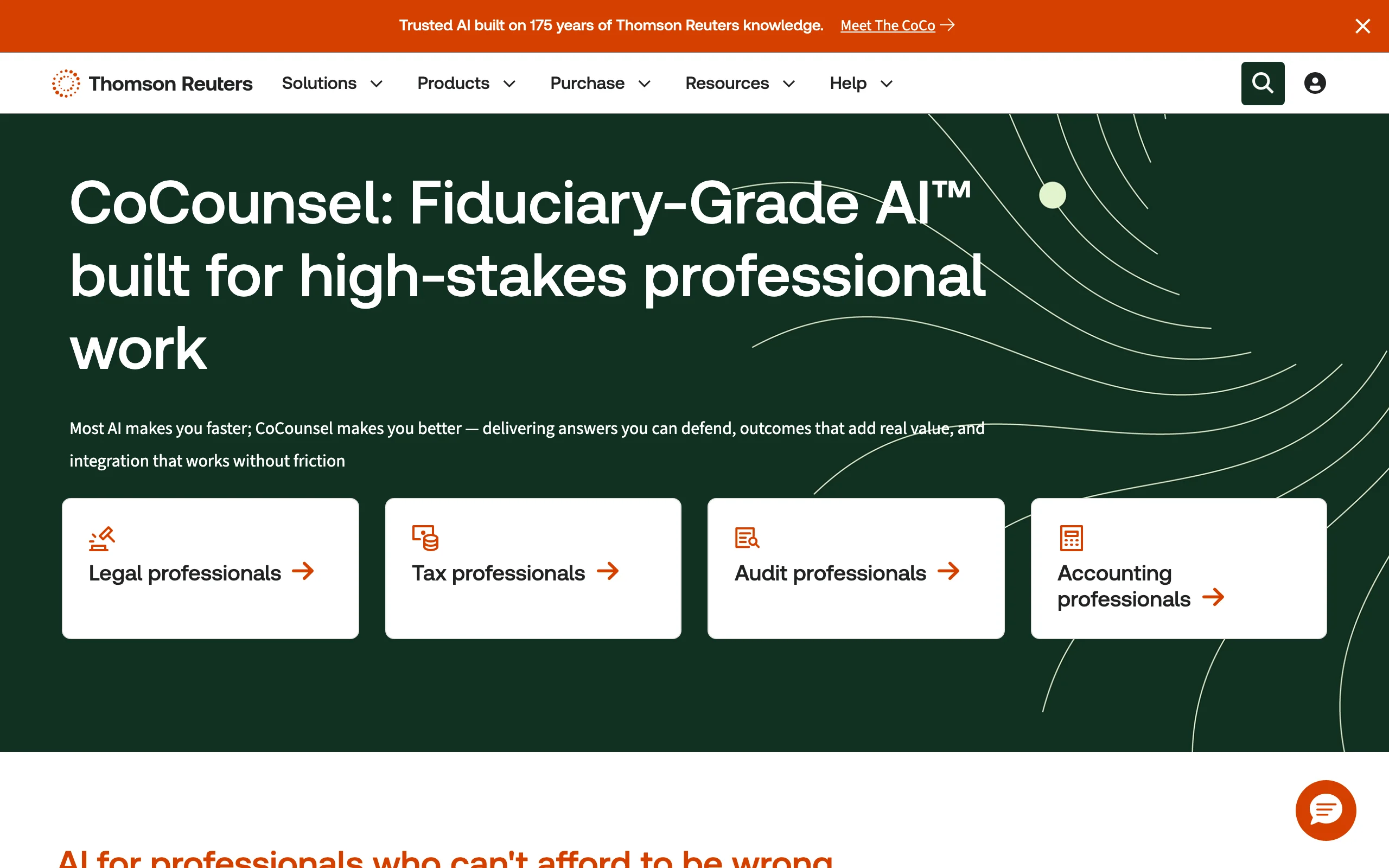
CoCounsel Legal is Thomson Reuters' AI layer over Westlaw and Practical Law, and the August 2026 release made it fully agentic. Westlaw Deep Research plans a research question, runs it, and returns a report with inline citations and KeyCite flags; Westlaw Brief Builder checks the authorities in a draft; a Drafting Agent works inside Word; and Tabular Analysis runs up to 100 questions across 10,000 documents. Integrations reach iManage, NetDocuments, SharePoint, and, via MCP, Claude.
The grounding is the point. If your firm already pays for Westlaw, CoCounsel adds AI research on the corpus and citator you trust. If it does not, expect a quote rather than a price list, 1-, 2-, or 3-year terms, and third-party estimates in the range of $640 to $780 per attorney per month for the self-serve tier.
Key features
- Westlaw Deep Research reports with inline citations and KeyCite treatment flags
- Westlaw Brief Builder and a Drafting Agent for Word
- Tabular Analysis across up to 10,000 documents
- Integrations with Word, Outlook, Teams, iManage, NetDocuments, and SharePoint
Best for
- Firms already on Westlaw or Practical Law that want agentic research without leaving Thomson Reuters
- Litigation teams that need KeyCite on every cited authority
- Mid-size and large practices with procurement budgets
Pricing
- Not published; quotes depend on sector, attorney count, jurisdiction, and term
- Free demo on the three bundled plans; a free trial is offered on CoCounsel Essentials
- Third-party estimates of roughly $640 to $780 per attorney per month for the self-serve CoCounsel Legal tier
Pros
- Research grounded in the deepest US case law database, with the most widely used citator
- Strong verification tooling for anything headed to court
- Deep document-analysis capacity for large matters
Cons
- Quote-only pricing and annual or multi-year terms
- The 2024 Stanford study measured Westlaw AI-Assisted Research hallucinating on about a third of queries (33%), so verification is still on you
- US-first, with Canada, the UK, and Australia following later in 2026
9. Harvey, best for BigLaw and enterprise legal departments
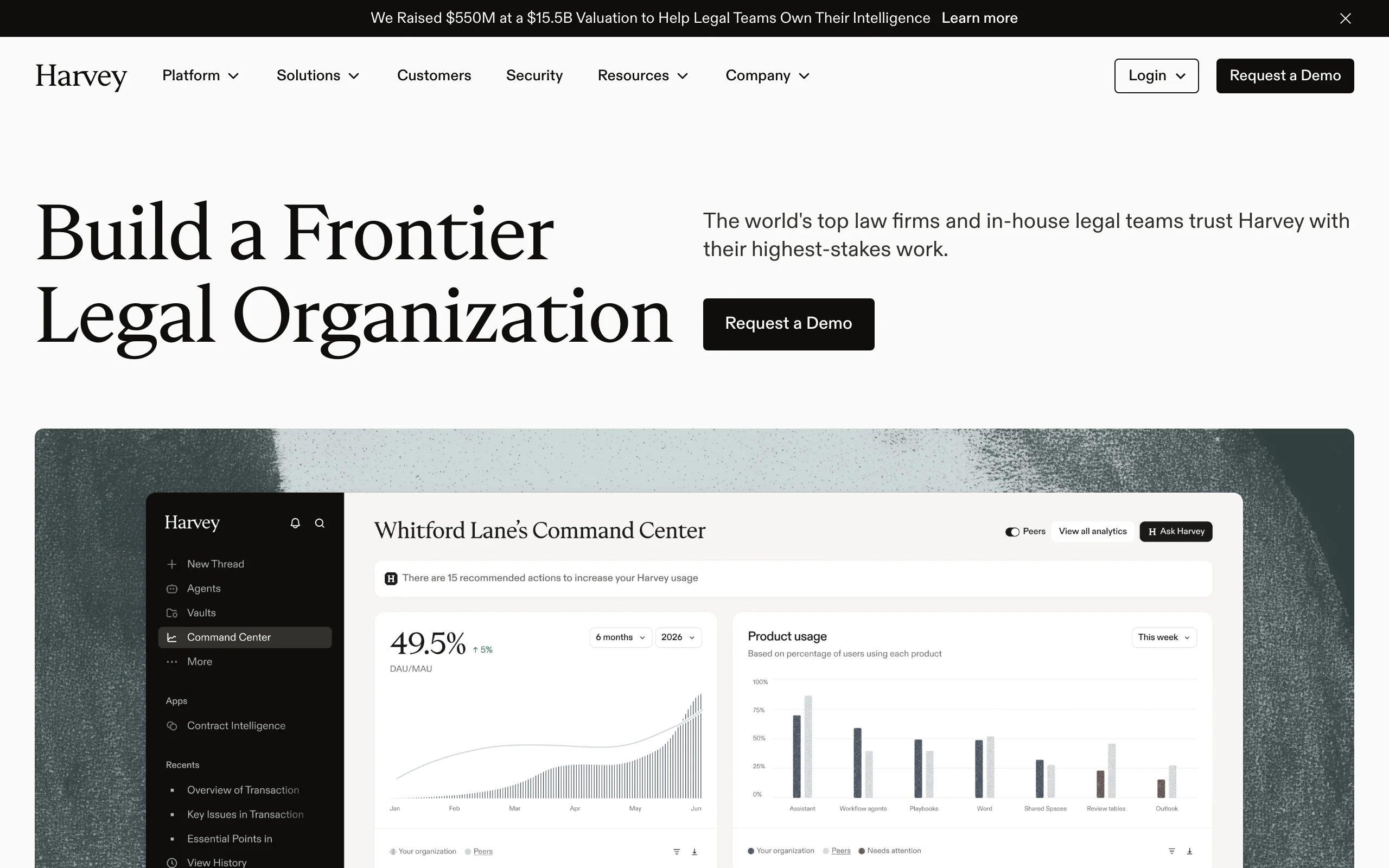
Harvey is the platform the largest firms have standardized on, and in September 2026 it raised $550M at a $15.5B valuation with more than 3,000 customer organizations. Its Knowledge product grounds research in LexisNexis case law and statutes validated through Shepard's; Vault bulk-analyzes document sets; Agents and Workflows encode firm-specific processes; and a Word add-in brings all of it into drafting. The 2026 release cadence has been relentless: the Harvey II platform release, Tenet (Harvey's first open-weight model), Memory, Agentic Vault, and an Outlook integration all shipped in August and September.
None of that is available to a solo or small firm. Harvey sells by demo on annual contracts, with third-party reports of roughly $1,200 per seat per month and 20- to 25-seat minimums. For the firms it fits, it is the most capable enterprise system on this list. For everyone else, it is a benchmark, not an option.
Key features
- Knowledge: research grounded in LexisNexis primary law with Shepard's validation
- Vault for bulk document analysis, now with agentic review
- Agents, Workflows, Spaces, and Memory for firm-specific processes
- Word, Outlook, SharePoint, and Microsoft 365 Copilot integrations
Best for
- AmLaw 200 firms and large in-house legal departments
- Teams with knowledge-management staff to build and maintain agents
- Organizations that need enterprise procurement, security review, and custom deployment
Pricing
- Enterprise, quote-only; no public price list and no self-serve trial
- Third-party estimates of roughly $1,200 per seat per month with 20- to 25-seat minimums on 12-month terms
Pros
- The deepest enterprise feature set and the fastest release pace in legal AI
- Lexis-grounded research at scale
- Trusted by many of the world's largest firms
Cons
- Out of reach for small and mid-size firms on price and seat minimums
- No way to try it without a sales process
- Significant setup before firm-specific agents pay off
Using AI for legal work safely: three rules that hold for every tool
The tool matters less than the discipline around it. Three rules keep any of the nine above on the right side of the ethics rules and the sanctions orders.
1. Verify every citation against the source. Purpose-built legal research tools hallucinated between 17% and 33% of the time in Stanford RegLab's 2024 benchmark, and general chatbots did far worse. The public database of AI-hallucination court cases passed 2,000 entries in September 2026, with more than 800 involving lawyers. The penalties are no longer symbolic: in Whiting v. City of Athens (6th Cir. March 2026) the court sanctioned two attorneys $15,000 each, plus the other side's fees and double costs, for a brief with over two dozen citations that were incorrect, misrepresented, or nonexistent, without needing to decide whether AI produced them. The lesson is the same either way. Pick a tool that links every authority to its source, and click through before you file.
2. Put client information only on plans with commercial data terms. ABA Formal Opinion 512, issued in July 2024, requires lawyers to understand a tool's capabilities and limits, to evaluate the disclosure risk before entering client information, and to obtain informed consent before using a self-learning tool on a client's matter. In practice that means a legal-specific tool, a Team or Enterprise plan, or a Workspace or Microsoft 365 license, not a personal account with training left on.
3. Bill for the work, not for learning the tool. Opinion 512 also addresses fees: you can charge for the time AI-assisted work actually takes, not for the time you spend getting up to speed. Firms that adopt AI well pass the savings through and win on rate.
For a step-by-step version of this, see our guide on how to use AI for legal work safely and effectively.
All of LegesGPT for $1
Verified-citation answers, case law search, document review, AI drafting, and e-signature in one subscription. 3-day trial for $1, cancel anytime.
Start the $1 trialHow to choose the best AI for legal work for your practice
The best AI for legal work depends on which of the four jobs dominates your week, where your documents already live, and who is paying. Work through these four questions.
1) Do you need it to answer legal questions, or only to help with the writing?
- If you need answers with citations you can rely on: LegesGPT for verified-citation answers from $19.99 a month, or CoCounsel Legal if you already pay for Westlaw. Our roundup of the best AI tools for legal research compares the research-first options in more depth.
- If you mainly need drafting, summarizing, and correspondence: Claude or ChatGPT will do most of it well, as long as a grounded tool handles the law.
- If you need answers from a specific case file rather than from the law: Gemini Notebook.
2) Where do your documents live?
- If your firm runs on Microsoft 365: Microsoft Copilot for in-app drafting under the DPA, and Claude for tracked-changes editing in Word.
- If your firm runs on Google Workspace: Google Gemini, with Gemini Notebook included in Business Standard and above.
- If your documents are wherever the client sent them: LegesGPT uploads PDF, DOCX, PPTX, TXT, and images and reviews them in place, with e-signature to send the result.
3) How will you keep client information confidential?
- If you are a solo or small firm: a purpose-built tool like LegesGPT, or a Team or Enterprise plan on Claude or ChatGPT, rather than a consumer account.
- If you are in-house with an IT-governed stack: Microsoft Copilot or Gemini on the enterprise license you already have; the specifics for legal departments are covered on our page about AI software for in-house legal teams.
- If you need auditability and custom retention at scale: Harvey, CoCounsel Legal, or the enterprise tiers of the general tools.
4) What is your budget and firm size?
- Solo to 50 attorneys: LegesGPT first, because it replaces research, review, and drafting tools at once. Add a general assistant at $20 a month if you want a second drafting voice. Together they cost less than one Westlaw seat.
- Mid-size firms: a Westlaw or Lexis bundle if litigation drives the practice, or LegesGPT plus Microsoft Copilot or Gemini for a document-heavy transactional practice; the trade-offs among AI legal research software options come down to which corpus you trust.
- Large firms and enterprise legal departments: Harvey, or the enterprise tiers of CoCounsel and the general platforms, with procurement and knowledge-management support.
Whichever you choose, test it on three pieces of real work from last month: a question you had to research, a contract you had to review, and a document you had to draft. Then click every citation. The tool that survives that afternoon is the best AI for legal work in your practice, whatever the rankings say.
Frequently Asked Questions
What is the best AI for legal work?
For most solo practitioners, small firms, and in-house teams, LegesGPT is the best AI for legal work because it covers all four legal jobs in one subscription. It answers legal questions with verified citations and source links, searches case law and statutes, reviews uploaded documents to flag risks and propose changes, drafts contracts and legal documents, and sends them for e-signature, starting at $19.99 a month with a $1 trial. General-purpose tools like Claude and ChatGPT are excellent for drafting and summarizing but have no legal database, and enterprise systems like Harvey and CoCounsel Legal are priced for large firms.
Which AI model is best for legal work, Claude, ChatGPT, or Gemini?
They are closer than the marketing suggests, and none of them has a legal database. Claude leads on long documents because its paid plans support a 1M-token context window and its Word add-in edits with tracked changes. ChatGPT leads on breadth, with Deep Research, agent mode, and the largest ecosystem of connectors, and its Go plan is one of the cheapest paid entries at $8 a month. Gemini is the natural choice for a firm on Google Workspace, where it is bundled into the seat with enterprise data protections. For the legal questions themselves, pair any of them with a grounded legal tool such as LegesGPT.
Is it safe to use ChatGPT or Claude for legal work?
It is safe for drafting, summarizing, and analysis if you follow two rules. First, verify every citation against the source, because general chatbots have no legal database and the 2024 Stanford benchmark found GPT-4 hallucinated on 58% to 82% of legal queries. Second, keep client information on a plan with commercial data terms, such as ChatGPT Business or Claude Team or Enterprise, since consumer plans can use conversations for training unless you opt out. ABA Formal Opinion 512 makes both of these your professional responsibility.
Can AI be used for legal work at all under the ethics rules?
Yes. ABA Formal Opinion 512, issued in July 2024, confirms that lawyers may use generative AI, provided they understand the tool's capabilities and limits, protect client confidentiality, obtain informed consent before using a self-learning tool on a client matter, supervise the output, and bill only for the time the work actually takes. Most state bars have followed similar reasoning. The opinion does not prohibit AI; it prohibits uncritical reliance on it.
What is the cheapest AI for legal work?
Free tiers exist on Claude, ChatGPT, Gemini, Gemini Notebook, and Perplexity, and they are genuinely useful for summarizing and drafting. The cheapest paid general assistants are Google AI Plus at $4.99 a month and ChatGPT Go at $8 a month. The cheapest AI with a real legal database and verified citations is LegesGPT Basic at $19.99 a month, and its 3-day trial costs $1. At the other end, Harvey and CoCounsel Legal are quote-only and priced for firms, with third-party estimates running from several hundred to more than a thousand dollars per seat per month.
Which AI is best for reviewing legal documents?
For contract and document review specifically, LegesGPT reads the full file, scores overall risk, flags the clauses that favor the other side, and proposes replacement language, with support for PDF, DOCX, PPTX, TXT, and images. Claude is the strongest general-purpose option for very long documents because of its 1M-token context, and Gemini Notebook is the best way to ask cited questions across a whole case file you have uploaded. Microsoft Copilot and Gemini are convenient when the documents already live in Word or Google Docs.
Do lawyers get sanctioned for using AI?
Lawyers get sanctioned for filing AI output they did not check, not for using AI. Damien Charlotin's public database of AI-hallucination court cases passed 2,000 entries in September 2026, with more than 800 involving lawyers. In March 2026 the Sixth Circuit sanctioned two attorneys $15,000 each in Whiting v. City of Athens for a brief with more than two dozen incorrect, misrepresented, or nonexistent citations, without deciding whether AI produced them. Every one of these cases traces back to a citation nobody checked, which is why tools that link each authority to its source matter so much.
What is the difference between a legal AI tool and a general AI like ChatGPT?
A legal AI tool is grounded in a database of primary law, so its answers cite real cases and statutes you can open, and the better ones flag whether a case is still good law. A general AI like ChatGPT, Claude, or Gemini answers from its training data and the open web, which makes it a strong writer and analyst but an unreliable source of authority. The practical pattern for most practices is one grounded legal tool for research and review, plus one general assistant for drafting and correspondence.
If I mainly need one AI for everyday legal work, what should I use?
Start with LegesGPT. It is the only tool on this list that answers legal questions with verified citations, reviews documents with proposed fixes, drafts from prompts and templates, and e-signs, all in one browser-based subscription from $19.99 a month. Run the 3-day $1 trial on three real tasks from last month, click every citation, and add a general assistant like Claude or ChatGPT later if you want a second drafting voice.