
Comparing two versions of a contract by eye is one of the riskiest routine tasks in legal work. A single reworded indemnity clause or a quietly deleted cure period can shift liability, and manual side-by-side reading misses exactly those changes when you are tired or rushed.
AI legal document comparison software fixes this in two ways. Dedicated comparison tools produce precise, formatted change reports between drafts. AI-native tools go further: they explain what each change actually means for your client, in plain language.
In this guide, we compare the seven best AI legal document comparison software tools in 2026, with verified pricing, key features, honest pros and cons, and a decision framework for choosing the right one for your practice.
Best AI legal document comparison software: a brief overview
- LegesGPT: Best overall for lawyers and legal teams. Upload two versions of a document, ask what changed, and get a plain-language explanation of the differences and their legal effect, plus research, review, and drafting in the same subscription.
- Draftable Legal: Best dedicated comparison tool for law firms. Accurate cross-format change detection with built-in OCR, at a transparent per-user price.
- Microsoft Word: Best no-extra-cost option. The built-in Compare feature handles basic version comparison inside software your firm already runs.
- Adobe Acrobat Pro: Best for PDF-heavy workflows. Compares two PDFs side by side, useful for executed contracts and court filings.
- Foxit PDF Editor: Best budget alternative for PDF comparison. Version comparison is included in every paid plan, on Windows, Mac, and the web, at roughly half Acrobat's price.
- Copyleaks Text Compare: Best free online comparison tool. Browser-based similarity checking across text, DOC, and PDF, with no account required.
- ChatGPT: Best general-purpose AI for quick difference summaries. Paste or upload two drafts and get a conversational rundown of what moved.
| Tool | Best for | Starting price | Free trial | Platforms |
|---|---|---|---|---|
| LegesGPT | All-in-one comparison plus legal analysis | From $19.99/mo | 3-day, $1 | Web |
| Draftable Legal | Dedicated law-firm comparison | From $21.75/user/mo | 5-day | Windows desktop, web |
| Microsoft Word | Built-in basic comparison | From $14/user/mo | 1-month (M365) | Desktop, web, mobile |
| Adobe Acrobat Pro | PDF-to-PDF comparison | From $19.99/mo | 7-day | Desktop, web, mobile |
| Foxit PDF Editor | Budget PDF version comparison | From $10.99/mo | 14-day | Windows, Mac, web, mobile |
| Copyleaks Text Compare | Free online similarity checks | Free | Free tool | Web |
| ChatGPT | Conversational difference summaries | Free; Plus $20/mo | Free tier | Web, desktop, mobile |
1. LegesGPT, best overall for comparing and understanding document versions
LegesGPT treats document comparison as a legal question, not just a formatting exercise. Upload two versions of a contract, ask what changed between them, and it walks you through the differences in plain language: which clauses were added, deleted, or reworded, and, critically, what each change means for your position. A shifted burden in a warranty clause or a narrowed definition of "confidential information" gets explained, not just highlighted.
That analysis layer sits inside a complete legal AI workspace. The same subscription answers legal questions with verified citations, runs AI document review that flags risks and proposes fixes, searches case law, drafts contracts, and handles e-signature. So after comparing drafts, you can immediately ask follow-up questions, research the governing law, or draft replacement language without switching tools.
Key features:
- Upload two document versions and ask what changed and what it means
- Plain-language explanation of the legal effect of each difference, not just a visual diff
- Document review that flags risky clauses and proposes concrete changes
- Supports PDF, DOCX, PPTX, TXT, and images
- Legal research with verified citations, AI drafting, and e-signature in the same workspace
- Deep Research mode for multi-step questions about what a change implies
Best for:
- Solo practitioners and small to midsize firms that need to understand changes, not just see them
- In-house counsel triaging incoming counterparty edits before deciding what to escalate
- Legal teams that want comparison, review, research, and drafting in one subscription
Pricing:
- 3-day trial for $1, then Basic at $19.99/month for unlimited AI queries and legal research
- Plus at $49.99/month adds document upload and 50 document reviews per month, the tier you need for comparison work
- Premium at $99.99/month adds unlimited document review, Deep Research, and web search; annual billing saves about 30%
Pros:
- Explains the legal consequences of changes in plain language, which no pure comparison engine does
- Full workflow after the comparison: research the issue, redraft the clause, send for signature
- Self-serve with a $1 trial, no sales calls or seat minimums
Cons:
- Dedicated comparison tools produce character-level Word diffs and formatted comparison documents, which LegesGPT does not generate
- Web-only: no Word add-in, mobile app, or API, so comparisons happen in the browser rather than inside Word
Spot risky clauses before you sign
LegesGPT scans any contract clause-by-clause, flags one-sided and missing terms, and backs every finding with a citation you can check.
Review a contract2. Draftable Legal, best dedicated comparison tool for law firms
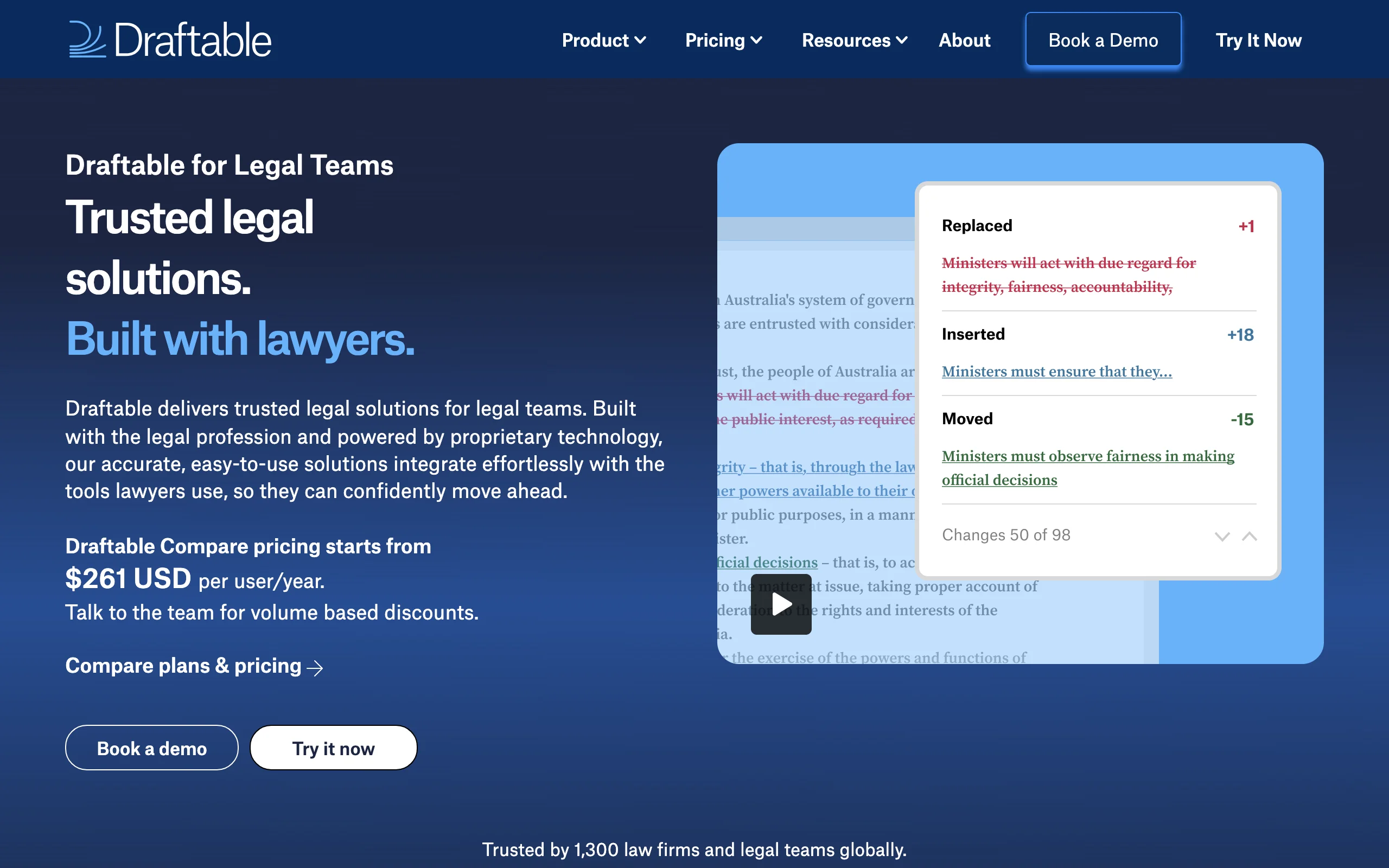
Draftable Legal is a purpose-built comparison engine for legal documents. It compares Word, PDF, Excel, PowerPoint files and Outlook emails, generates accurate change-marked output, and handles scanned documents through built-in OCR, which matters when opposing counsel sends you a signed PDF scan instead of the editable draft.
For a small or midsize firm, the appeal is predictability: a published per-user price, a 5-day free trial, and no usage limits. It also integrates with iManage, NetDocuments, SharePoint, Worldox, and Epona, so growing firms do not outgrow it quickly, and comparisons can launch straight from the document management system that holds each version.
Key features:
- Cross-format comparison: Word, PDF, PowerPoint, Excel, and Outlook emails
- Built-in OCR compares scanned PDFs against editable drafts
- Change-marked output plus departures tables for negotiation summaries
- DMS integrations with iManage, NetDocuments, SharePoint, Worldox, and Epona
- Bulk compare and 1-click compare workflows; no usage limits
Best for:
- Solo lawyers and firms up to about 50 users that want dedicated legal-grade comparison without sales calls
- Teams that regularly compare scanned or PDF versions against Word drafts
Pricing:
- Legal plan: $21.75/user/month billed annually ($261/user/year) with the full legal feature set
- Business plan: $10.75/user/month billed annually ($129/user/year) for core comparison without legal-specific output
- 5-day free trial with all features; volume pricing for teams of 10+
Pros:
- Transparent pricing and self-serve setup, rare in legal comparison software
- Handles scanned documents well thanks to OCR
Cons:
- Desktop app is Windows-only today (Mac support announced for late 2026)
- Reports what changed, not why it matters; legal interpretation stays with you
3. Microsoft Word, best built-in comparison you may already own
Microsoft Word ships with a Compare feature (Review tab, Compare, Combine) that most lawyers forget they already pay for. Point it at an original and a revised document and Word generates a third document marking every insertion, deletion, and move, with changes attributed and navigable through the reviewing pane.
For basic two-version DOCX comparison, this is genuinely serviceable, and the price is effectively zero if your firm runs Microsoft 365. The limits show up fast, though: PDF handling requires conversion first, complex formatting can produce noisy output, and there is no analysis of what changes mean.
Key features:
- Built-in Compare and Combine for any two Word documents
- Marks insertions, deletions, moves, and formatting changes with attribution
- Combine merges edits from multiple reviewers into one document
- Works offline inside the desktop app your firm already uses
Best for:
- Firms with occasional, simple DOCX-to-DOCX comparison needs and no budget for another tool
- Quickly checking a colleague's edits against your last saved draft
Pricing:
- Included with Microsoft 365; Business Standard runs $14/user/month on annual billing (raised from $12.50 in July 2026)
- No extra cost if you already license desktop Word
Pros:
- Zero additional spend and zero new software to learn
- Fine for straightforward two-draft comparisons
Cons:
- Struggles with PDFs, scans, and heavily formatted documents; output gets noisy
- No summary or explanation layer; you still interpret every change yourself
4. Adobe Acrobat Pro, best for PDF-heavy comparison workflows
Adobe Acrobat Pro includes a Compare Files tool that puts two PDFs side by side and produces a summary report of text and image differences, with changes highlighted and filterable by type. When both versions of a document only exist as PDFs, which is common with executed contracts, court filings, and anything from opposing counsel, Acrobat compares them natively with no conversion step.
Note that comparison is a Pro feature: Acrobat Standard does not include Compare Files, so verify which tier your firm licenses before counting on it.
Key features:
- Native PDF-to-PDF comparison with a change summary report
- Filter detected changes by type: text, images, formatting
- Side-by-side and single-page review modes
- Sits alongside redaction, OCR, and e-signature in the broader Acrobat toolkit
Best for:
- Litigation and transactional teams that receive most documents as PDFs
- Firms already licensing Acrobat Pro for redaction and PDF work
Pricing:
- Acrobat Pro for individuals: $19.99/month with an annual commitment; teams licenses run $23.99 per license/month
- Compare Files is not included in the cheaper Acrobat Standard tier
- 7-day free trial
Pros:
- The cleanest way to compare two PDFs without converting formats
- Likely already deployed at your firm for other PDF tasks
Cons:
- PDF-centric: comparing Word drafts means exporting first
- Flags visual and text differences but provides no legal context for them
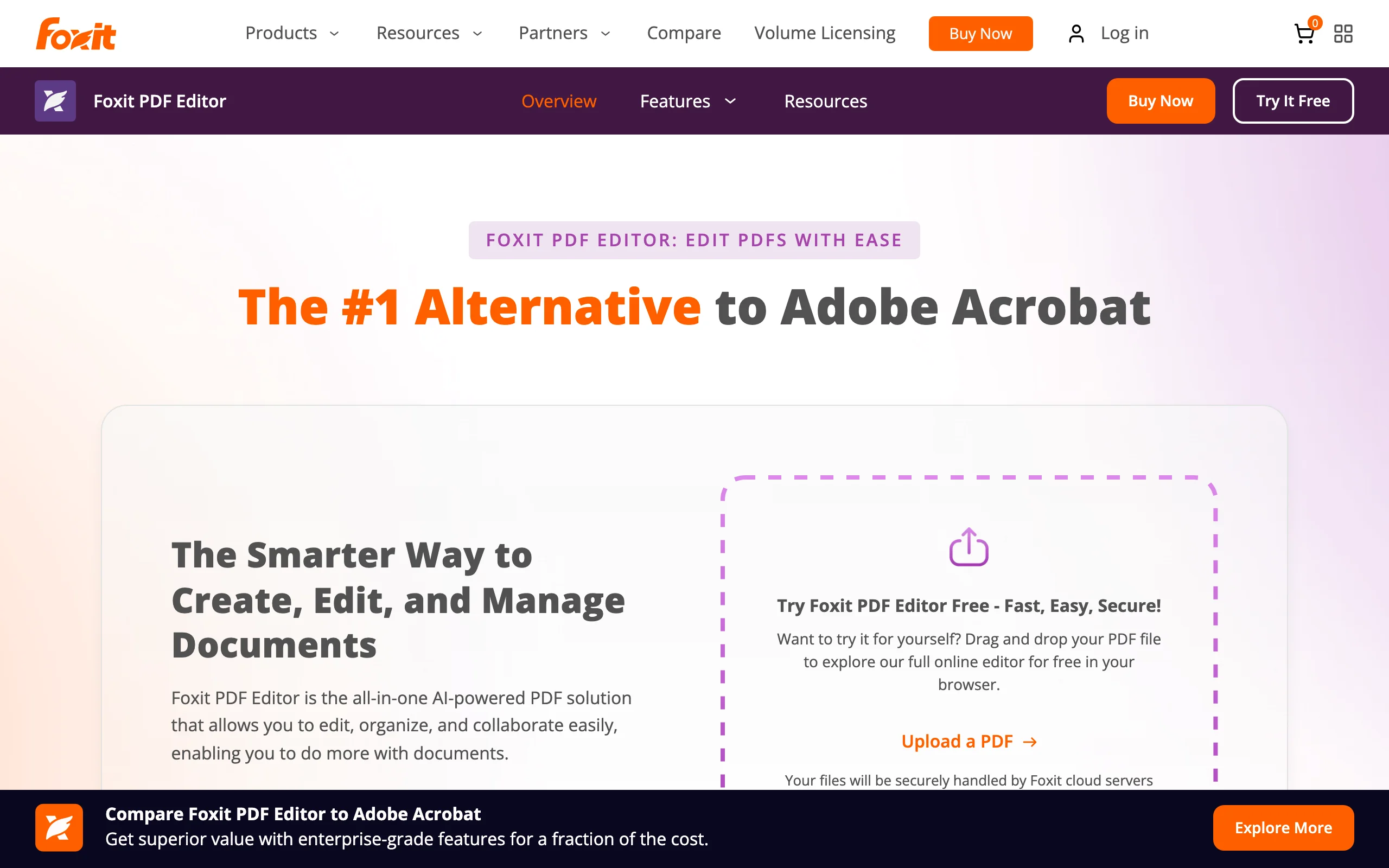
5. Foxit PDF Editor, best budget alternative for PDF version comparison
Foxit PDF Editor is the value pick for PDF change detection. Its Compare feature (View, Compare) takes an old file and a new file, lets you pick the exact page ranges to check, and generates a results document that arranges both versions side by side with insertions, deletions, and replacements marked in configurable colors. You can restrict the run to text only or include tables, which keeps the output readable on dense agreements.
Two things make it stand out against Acrobat. First, price: the base plan costs roughly half of Acrobat Pro, and unlike Acrobat, comparison is included in every paid tier rather than reserved for the top one. Second, coverage: the editor runs on Windows, Mac, and in the browser, which helps mixed-platform firms where a Windows-only desktop tool leaves someone out.
Key features:
- Side-by-side PDF version comparison with insertions, deletions, and replacements color-marked
- Compare selected page ranges, text only, or tables
- Generates a shareable comparison results document
- Built-in OCR converts scans into searchable, comparable text
- Full PDF editing, conversion to and from Office formats, and e-signing in the same app
Best for:
- Cost-conscious firms that need reliable PDF change detection without an Acrobat Pro subscription
- Mixed Windows and Mac offices that want one PDF tool with comparison for everyone
Pricing:
- PDF Editor: $129.99/year paid upfront, or $10.99/month billed annually (Windows, Mac, and web)
- PDF Editor+: $159.99/year or $13.99/month billed annually, adding iOS and Android apps and more cloud storage
- 14-day free trial, no credit card required
Pros:
- Comparison included in the cheapest paid plan, at roughly half Acrobat Pro's price
- Cross-platform: Windows, Mac, and browser, with mobile on the higher tier
Cons:
- Comparison is PDF-centric; Word drafts need converting before you can check versions
- Detects and marks changes but offers no interpretation of their legal effect
6. Copyleaks Text Compare, best free online comparison tool
Copyleaks Text Compare is a free browser tool that compares two or more pieces of text, uploaded files, or URLs and highlights how similar they are. It accepts different formats on each side, DOC against PDF for example, extracts text from images, and classifies matches as identical, similar, or related in meaning, which catches paraphrased language that a strict character diff would miss.
It was built for plagiarism detection rather than legal workflows, but for a fast, no-cost check of how much two drafts overlap, it does the job with zero setup: no account is needed for public comparisons, and you can compare up to 10 documents at once.
Key features:
- Free online comparison of text, files, or URLs; no account required
- Cross-format comparison, including DOC against PDF, with text extraction from images
- Flags identical, similar, and related-meaning matches, not just exact overlap
- Compare up to 10 documents in one run
Best for:
- Quick, zero-cost similarity checks between two drafts or clause libraries
- Checking whether a "new" template is actually a lightly edited copy of another document
Pricing:
- The Text Compare tool is free to use
- Copyleaks' paid plans cover its separate plagiarism and AI-detection products, not required for comparison
Pros:
- Completely free and runs in any browser with no installation
- Semantic matching catches reworded passages, not only literal changes
Cons:
- Built for similarity detection, not legal change reports; no formatted comparison output
- Uploading confidential contract text to a free public web tool raises confidentiality questions; use with care
7. ChatGPT, best general-purpose AI for quick difference summaries
ChatGPT is not a legal tool, but it is often the first place lawyers try AI comparison. Upload or paste two versions of a document and ask what changed, and it produces a readable, conversational summary of the differences, and can answer follow-up questions about specific clauses.
For a fast sanity check, that is useful. The trade-offs matter for legal work, though: ChatGPT can miss changes in long documents, it has no legal research grounding to verify claims about legal effect, and file upload limits on the free tier constrain document size. A purpose-built AI legal assistant grounds its answers in verified legal sources, which matters the moment your question shifts from "what changed" to "is this enforceable".
Key features:
- Conversational summaries of differences between two uploaded or pasted documents
- Follow-up questions in plain language about any specific change
- General-purpose reasoning useful for brainstorming around a clause
- Free tier available; higher tiers raise upload and usage limits
Best for:
- Quick, informal difference summaries where nothing turns on completeness
- Lawyers already paying for ChatGPT who want an occasional second pair of eyes
Pricing:
- Free tier with limits on messages and file uploads
- ChatGPT Plus: $20/month with higher upload and usage limits
Pros:
- Extremely accessible; most lawyers already know the interface
- Explains differences conversationally rather than as raw markup
Cons:
- Not exhaustive: it can silently miss changes in long or complex documents, which is disqualifying for high-stakes comparison
- No verified legal citations behind its claims about what a change means
How to choose the best legal document comparison tool for your practice
Four questions separate these tools cleanly.
1) Do you need a marked-up document or an explanation of what changed?
- If you need a formatted comparison document to send to a client or opposing counsel: Draftable Legal produces legal-grade change-marked output; Word's Compare works for simple DOCX cases. And if producing markup for negotiation is the center of your workflow, our guide to document redline software covers the tools built specifically for that.
- If you need to understand the legal effect of the changes: LegesGPT explains what each difference means and lets you research and redraft in the same place. Many teams pair one tool from each camp.
2) What is your firm size and budget?
- Solo or small firm: LegesGPT (from $19.99/month, comparison work needs Plus at $49.99/month) or Draftable Legal ($261/user/year) keep costs predictable with no sales process.
- Tight budget but PDF-heavy work: Foxit PDF Editor puts version comparison in a $129.99/year plan.
- No budget at all: Word's built-in Compare plus Copyleaks' free tool cover the basics.
3) What formats do you compare most often?
- Mostly Word drafts: Word's built-in Compare or Draftable Legal.
- Mostly PDFs and scans: Adobe Acrobat Pro or Foxit PDF Editor for native PDF comparison, or Draftable Legal for OCR-backed scan handling against Word drafts.
- Mixed formats plus a need for analysis: LegesGPT reads PDF, DOCX, PPTX, TXT, and images and explains the differences.
4) Standalone comparison or part of a broader legal AI workflow?
- If comparison is one isolated task, a dedicated engine like Draftable is efficient.
- If comparison feeds into review, research, and redrafting, an all-in-one platform saves tool-switching. LegesGPT covers that full loop, and our guide to AI for lawyers maps where each capability fits in day-to-day practice.
Whatever you shortlist, test with three to five of your own recent document pairs before committing. Marketing demos use clean documents; your real files have scans, tables, and messy formatting.
All of LegesGPT for $1
Verified-citation answers, case law search, document review, AI drafting, and e-signature in one subscription. 3-day trial for $1, cancel anytime.
Start the $1 trialFrequently Asked Questions
What is AI legal document comparison software?
AI legal document comparison software identifies the differences between two versions of a legal document, such as contract drafts exchanged in negotiation. Traditional tools produce a visual markup of insertions and deletions; AI-native tools like LegesGPT additionally explain what each change means in plain language, so you can assess legal impact faster.
Can AI compare two versions of a contract and explain the differences?
Yes. Upload both versions to a tool like LegesGPT and ask what changed; it summarizes added, deleted, and reworded clauses and explains their legal effect. General AI chatbots can attempt the same task but may miss changes in long documents and cannot back their analysis with verified legal sources.
What is the difference between a visual comparison and an AI comparison?
A visual comparison (Draftable, Word, Acrobat, Foxit) mechanically marks every change between two files, producing a markup or results document. An AI comparison interprets the changes: it tells you that a reworded clause narrows an obligation or shifts liability. Visual tools are exhaustive but silent on meaning; AI tools explain meaning but do not produce formatted markup output.
Does Microsoft Word have a built-in document comparison feature?
Yes. Under the Review tab, Compare generates a third document marking all differences between an original and a revised version, and Combine merges edits from multiple reviewers. It works well for simple DOCX comparisons but handles PDFs and complex formatting poorly.
What is the cheapest way to compare legal documents?
If you already license Microsoft 365, Word's Compare feature costs nothing extra, and Copyleaks Text Compare is free in the browser. Among paid tools, Foxit PDF Editor includes PDF version comparison from $129.99/year, Draftable Legal starts at $261/user/year, and LegesGPT's Plus plan at $49.99/month adds AI analysis of what the changes mean along with document review, research, and drafting.
Is it safe to upload confidential contracts to an AI comparison tool?
It depends on the tool. Check whether the vendor encrypts uploads, whether your documents are used for model training, and whether the tool offers private processing. Be most careful with free public web tools, and confirm any tool's data handling terms against your confidentiality obligations before uploading client documents.
Are AI document comparison tools accurate enough for legal work?
Dedicated comparison engines like Draftable Legal are highly reliable at detecting changes and are widely used in law firms. AI explanation layers are best treated as a fast first pass: they accelerate understanding, but a lawyer should verify any conclusion that affects advice. The safest workflow combines a complete change detection pass with AI-assisted interpretation.
If I mainly need to understand what changed between two contract drafts, what should I use?
LegesGPT is the strongest fit. Upload both drafts, ask what changed, and get a plain-language walkthrough of the differences and their legal implications, then research the governing law, redraft clauses, and send for e-signature without leaving the platform. The $1 three-day trial makes it easy to test on a real document pair.